

Download GOM Cam – Free Screen Recorder with Webcam & Video Editing for Windows, Mac, Android, iOS
Why GOM Cam Stands Out as the Ultimate Free Screen Recording Tool
In today’s digital-first world, the need for reliable screen recording software has never been greater. Whether you're a student capturing online lectures, a teacher creating instructional videos, a gamer documenting your gameplay, or a content creator producing tutorials, having a seamless recording experience is essential. Enter GOM Cam—a powerful, free, and lightweight video recording tool developed by GOM Lab that combines screen capture, webcam recording, and basic video editing in one intuitive package. Unlike many competitors that require separate software for editing, GOM Cam offers an embedded editor, eliminating the need to switch between applications. This all-in-one approach significantly boosts productivity and simplifies your workflow.
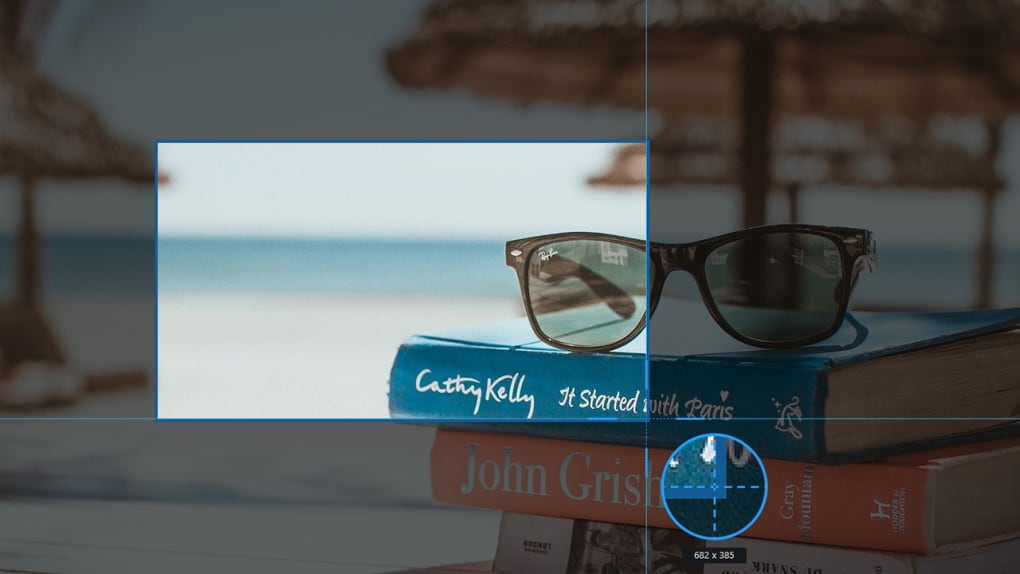
One of the standout features of GOM Cam is its versatility in recording modes. You can choose from full-screen capture, custom region selection, or preset resolutions, giving you precise control over what gets recorded. The tool also supports recording from your webcam or connected video devices, making it perfect for face-to-camera tutorials or vlogs.
For gamers, the Game mode ensures high frame rates and minimal lag, while Lecture mode syncs your webcam feed with your microphone and allows you to import slides—ideal for virtual classrooms or online presentations. The interface is refreshingly clean and user-friendly, with a left-side ribbon offering quick access to Screen, Image, Webcam, Game, and Lecture options. A pop-up tutorial on first launch helps new users get up to speed instantly.
Additionally, GOM Cam includes advanced features like a built-in drawing tool, picture-in-picture (PIP) overlay, real-time effects, and scrolling capture for long web pages or documents. Once recording is complete, files are automatically saved to the main menu, where you can tag, filter, and manage them efficiently. With options to play, edit, extract audio, upload to YouTube or Google Drive, or delete, the software streamlines the entire content creation lifecycle. Whether you're recording a quick demo or producing a detailed tutorial, GOM Cam delivers performance, flexibility, and ease of use—all without draining your system resources.
Powerful Features & Built-In Video Editing for Effortless Content Creation
GOM Cam isn’t just a screen recorder—it’s a full-fledged video production assistant. Its core strength lies in the seamless integration of recording and editing tools, allowing users to create polished content without leaving the app. The built-in video editor comes in two versions: Quick Edit and Advanced Edit. The Quick Edit mode is perfect for beginners, offering basic trimming, cutting, and merging of clips. For more control, the Advanced Edit mode unlocks features like background music integration, text overlays, transitions, and advanced effects—ideal for creators who want to add a professional touch to their videos.
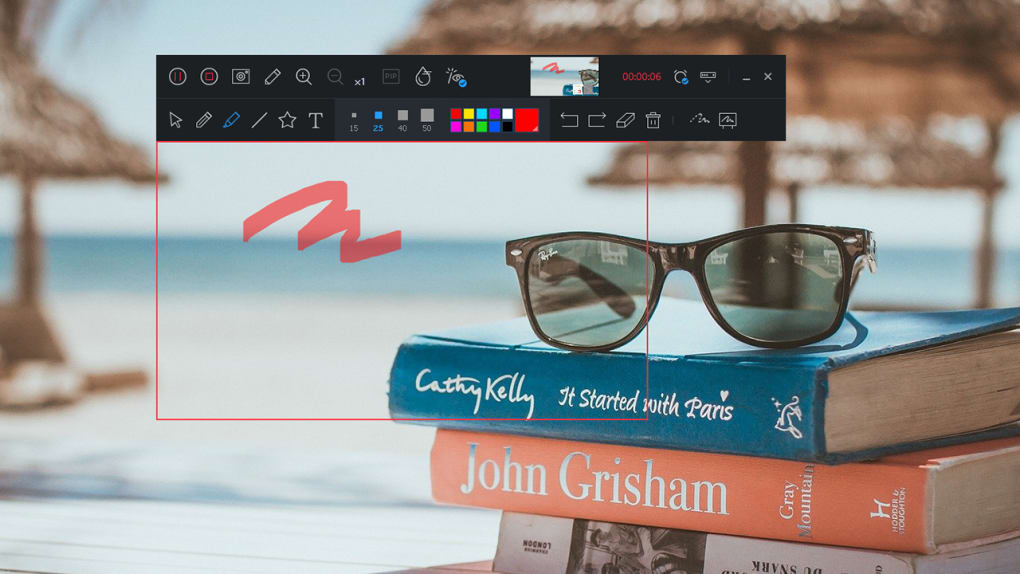
One of the most innovative features is the Scrolling Capture tool, which automatically captures long web pages or documents by scrolling through them during recording. This is a game-changer for users creating tutorials on websites, online forms, or lengthy reports. The GIF Animation function lets you create animated GIFs directly from screen captures—perfect for social media snippets or quick instructional clips. The Draw tool allows you to annotate your screen in real time, highlighting key areas with arrows, shapes, or freehand lines—ideal for teaching or explaining complex concepts.
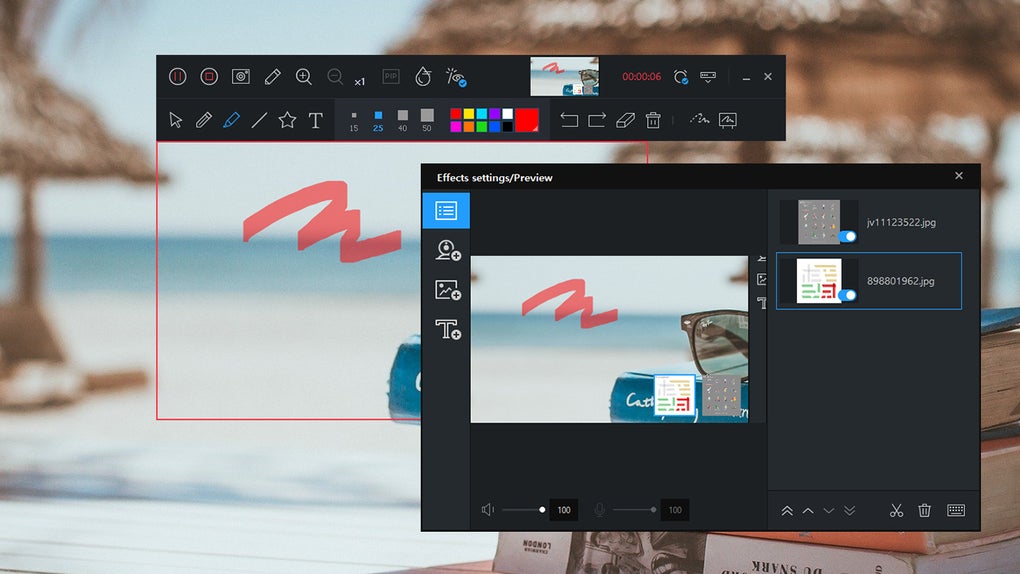
Another standout is the Picture-in-Picture (PIP) feature, which lets you overlay your webcam feed on top of your screen recording. This is especially useful for creating engaging vlogs or tutorial videos where you want to show both your face and on-screen actions. The Effects menu includes visual filters and transitions that can be applied in real time or during post-production. Plus, the Hotkeys system allows you to start, pause, and stop recordings with customizable keyboard shortcuts—perfect for hands-free operation during gameplay or live demonstrations.
For those who want to share their work quickly, GOM Cam includes a direct Upload function to YouTube, Google Drive, and Vimeo. This eliminates the need to manually export and upload files, saving valuable time. With support for multiple output formats and resolutions, GOM Cam ensures your videos look great across devices and platforms. Whether you're a casual user or a professional content creator, the feature set is robust enough to handle a wide range of projects.
Easy Installation, Cross-Platform Compatibility, and Pro Upgrade Options
Installing GOM Cam is a breeze, whether you're on Windows, Mac, Android, or iOS. The download process is quick and secure, with no bundled adware or unnecessary third-party software. Once installed, the application launches with a helpful tutorial that walks you through the core functions—making it accessible even for first-time users. The setup is lightweight, consuming minimal system resources, which means it runs smoothly on older machines or devices with limited RAM.
For Windows and Mac users, GOM Cam offers a full-featured desktop experience with support for high-resolution recordings, multi-monitor setups, and real-time audio capture. The mobile versions for Android and iOS are equally capable, allowing you to record your screen, use your front or rear camera, and even apply basic edits directly from your smartphone or tablet. This cross-platform availability ensures you can create content on the go, whether you're at home, in the office, or on the move.
While the free version is impressively powerful, GOM Cam also offers two premium upgrade paths: Basic and Pro. These versions remove ads, eliminate watermarks, and grant unlimited recording time—crucial for users producing long-form content or commercial videos. The Pro version also unlocks advanced editing tools and priority support. For those who use multiple GOM Lab products, a bundled subscription offers even greater value. Upgrading is straightforward through the app’s in-built purchase system, and all updates are delivered automatically to keep your software secure and up to date.
With regular updates, strong developer support, and a clean, intuitive interface, GOM Cam remains one of the most reliable screen recording tools available. Its ability to adapt to different user needs—from students to professionals—makes it a top choice in its category.
Pros, Cons & Frequently Asked Questions (FAQ)
Pros
- Free & Secure Download – No hidden costs or malware; trusted by millions worldwide.
- Multi-Platform Support – Available for Windows, Mac, Android, and iOS.
- Integrated Video Editor – Edit clips without switching apps; includes Quick and Advanced modes.
- Multiple Recording Modes – Full screen, region, webcam, game, lecture, and scrolling capture.
- Lightweight & Fast – Minimal CPU and RAM usage, even during long recordings.
- Direct Upload to YouTube, Google Drive, Vimeo – Streamline content sharing.
Cons
- Watermarks in Free Version – Visible on recorded videos unless upgraded.
- Basic Audio Editing – Limited options compared to dedicated audio tools.
- No Cloud Storage – Files are saved locally; no built-in cloud backup.
- Advanced Features Locked in Free Version – Unlimited recording and no ads require Pro subscription.
Frequently Asked Questions (FAQ)
-
Is GOM Cam free to download and use?
Yes, GOM Cam is completely free to download and use. The free version includes powerful features like screen recording, webcam capture, video editing, and direct uploads. However, it includes watermarks and limited recording time. For an ad-free, watermark-free experience with unlimited recording, consider upgrading to the Pro version.
-
Can I use GOM Cam on my Mac and mobile devices?
Absolutely! GOM Cam is available for both macOS and iOS, as well as Android. The mobile apps offer screen recording, webcam use, and basic editing—perfect for creating content on the go.
-
Does GOM Cam support recording gameplay?
Yes, the Game mode is optimized for high frame rates and low latency, making it ideal for recording fast-paced games without lag or dropped frames.
-
Can I edit videos after recording?
Yes, GOM Cam includes a built-in video editor with two modes: Quick Edit for basic trimming and Advanced Edit for adding music, text, transitions, and effects.
-
How do I remove watermarks from my recordings?
Watermarks are removed in the Pro version. You can upgrade within the app to eliminate them and unlock unlimited recording time and ad-free use.
Final Verdict: A Must-Have Tool for Every Digital Creator
After thorough testing and real-world use, GOM Cam proves to be one of the most versatile and user-friendly screen recording tools available today. Its combination of powerful recording features, intuitive interface, and built-in video editing makes it an excellent choice for students, educators, gamers, and content creators alike. While the free version is already packed with value, upgrading to the Pro version unlocks a truly seamless experience—especially for those who produce frequent or professional-grade content.
With support for Windows, Mac, Android, and iOS, cross-platform consistency, and regular updates, GOM Cam continues to evolve as a top-tier software solution. Whether you're recording a tutorial, capturing a game session, or creating a lecture, this tool delivers reliability, performance, and flexibility.
Download GOM Cam today and take control of your digital content creation—free, secure, and hassle-free.







